
TL;DR
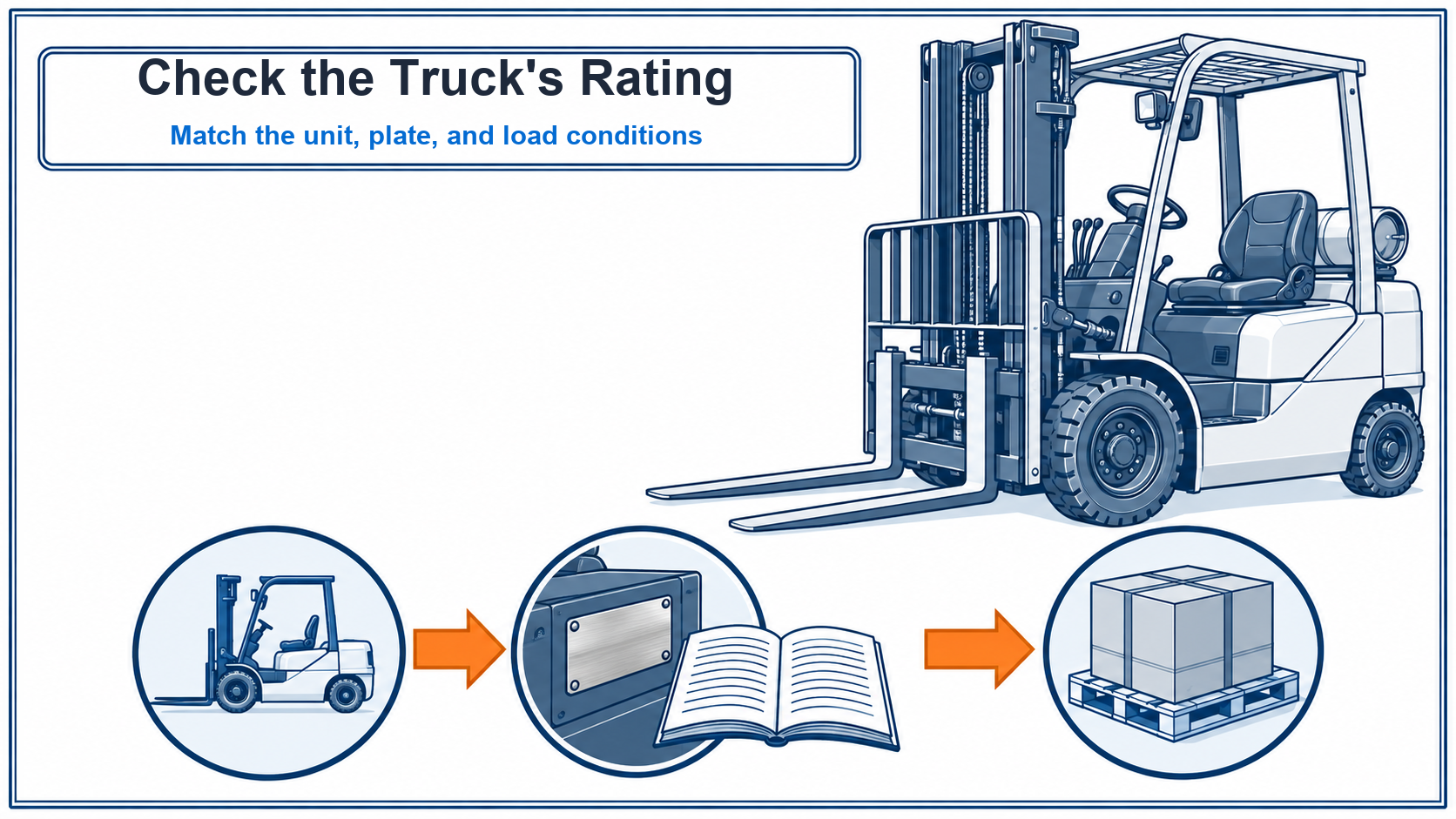
There is no single Toyota forklift capacity chart that safely covers every truck and configuration. Match the truck’s model and serial number to its current capacity plate and Toyota documentation, then check the load center, lift conditions, mast, carriage, forks, and attachments. If the plate is missing or does not match the unit, do not lift until Toyota or an authorized safety-qualified source confirms the rating.
Key Takeaways
- A Toyota brand name or model family is not a truck-specific capacity rating.
- Match the model and serial number before opening a capacity document.
- Read rated capacity together with its load-center and lift conditions.
- Mast, carriage, forks, and attachments can affect the rated combination.
- Stop and obtain qualified confirmation when the plate is missing or inconsistent.
Table of Contents
- Key Takeaways
- Toyota forklift capacity chart: the safe lookup answer
- Step 1: Match the Toyota truck model and serial number
- Step 2: Find the matching capacity plate and Toyota documentation
- Step 3: Match rated capacity to load center and lift conditions
- Step 4: Check the truck’s installed configuration
- Can a generic forklift capacity chart or formula tell you the rating?
- Step 5: Stop if the capacity plate is missing or does not match
- Toyota forklift capacity chart FAQ
- Conclusion: verify the truck before the lift
- References
Toyota forklift capacity chart: the safe lookup answer
A brand-wide Toyota capacity figure cannot confirm every forklift and setup. Toyota’s June 2018 capacity guide explains that the rated figure may change with load position and truck configuration. For a specific unit, read the current capacity plate and match its model, serial, stated load conditions, and installed equipment to Toyota’s documentation.
Follow the lookup sequence before a lift:
- Record the model and complete serial number from the truck.
- Find the capacity plate and operator documentation that match that identity.
- Compare the intended load and lift conditions with the rating information, including all installed load-bearing components.
- Stop if the rating is missing, unreadable, or inconsistent. Ask Toyota or an authorized safety-qualified source to resolve it.
The plate is not a generic chart for every Toyota forklift. Even two trucks that share a model family can require separate documentation if their serial range or installed equipment differs. Do not use a capacity value from a search result, sales listing, or another truck as approval for the lift in front of you.
The guide explains how to locate and compare rating information. It cannot determine an individual truck’s safe capacity because no model, serial number, load, or installed configuration was supplied.
Step 1: Match the Toyota truck model and serial number
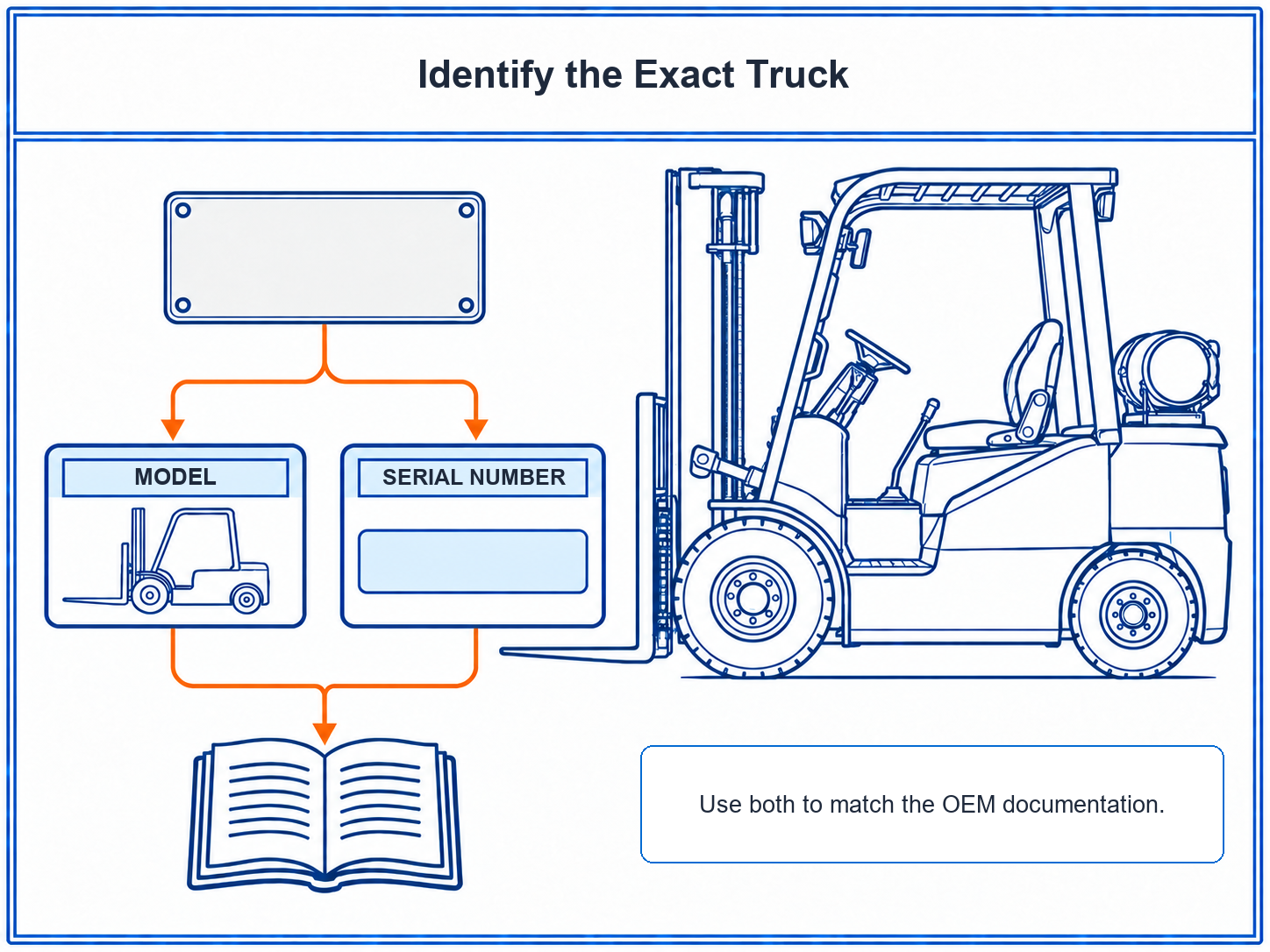
Start with the identification on the actual truck. Toyota’s current data-plate guide identifies the model and serial as key fields for matching the equipment to its information. Use the complete model designation and serial number together. A family name, capacity label, fleet nickname, or approximate model description is not a substitute.
Record the identifiers from the unit
Photograph the full data plate, then take a closer image of the model and serial fields. Transcribe every character exactly, preserving punctuation and leading zeros. Compare the transcription with the photo before using it to find a manual or capacity reference.
- Manufacturer: Toyota
- Model: full designation shown on the truck
- Serial number: complete value shown on the truck
- Current installed mast and attachments, if identifiable
The model and serial number are identification fields, not a capacity calculation. They help route the lookup to the applicable Toyota material. They do not establish that a particular load is within the rating.
If glare, corrosion, a damaged plate, or a covered character makes the serial uncertain, do not guess. Mark the unclear part and ask Toyota or an authorized dealer to identify the correct record. A document that appears to match the model but cannot be tied to the truck’s serial information is not enough to confirm the rating.
Step 2: Find the matching capacity plate and Toyota documentation
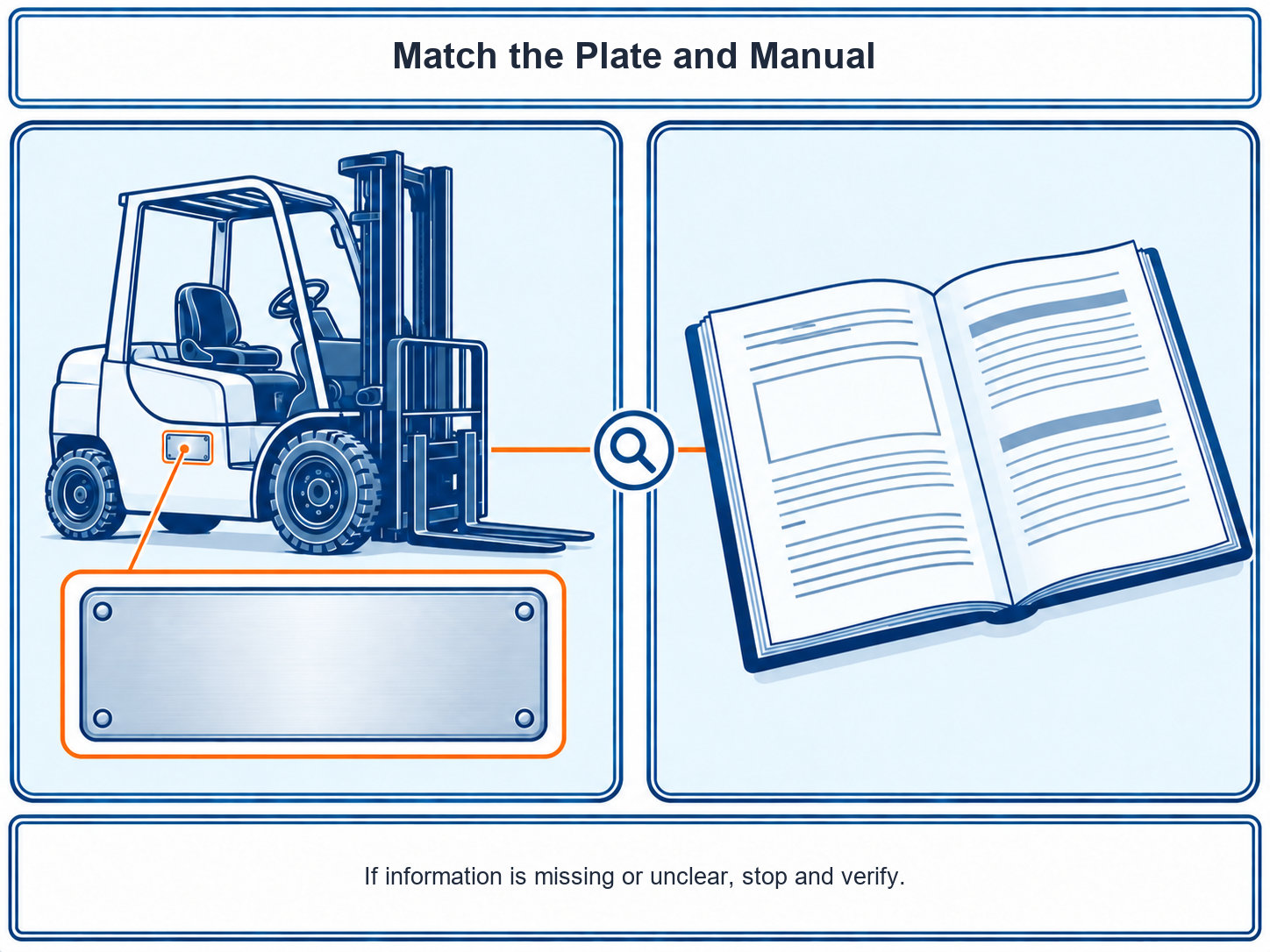
Toyota’s April 2026 data-plate guide shows that plate fields vary by truck type. Examples include model and serial, rated capacity, load center, mast or attachment details, truck weight, and operating information. OSHA’s powered-industrial-truck eTool describes the nameplate information operators need to understand and advises against operating a truck with a missing or illegible plate.
Read the plate attached to the truck
Use the plate on the specific truck, not a photo of a similar Toyota model online. Find the rated-capacity entry and any accompanying load-center, lift, attachment, or configuration conditions shown for that unit. Toyota uses different plate layouts across truck types, so do not assume every field appears in the same position or format.
Toyota’s examples show different combinations of fields across truck categories. Some plates identify rated capacity and load center, while others show additional equipment or battery details. A missing field is not permission to fill it from another model’s plate. Treat an unclear condition as unresolved until the matching documentation or Toyota confirms it.
Match the operator documentation
Use the recorded model and serial to locate the Toyota operator documentation for that truck. Check that the document applies to the same truck identity and configuration. A general model brochure can describe a product family. It does not replace the capacity information attached to the actual machine.
Compare these records before interpreting the value:
- The full model and serial on the truck
- The rated-capacity information on the installed plate
- Any load-center or lift-condition information shown with that rating
- The corresponding Toyota operator documentation
If a field is absent from the plate or the manual does not match the unit, leave the value unresolved. Do not reconstruct a worn label from a different truck’s plate image. Contact Toyota or an authorized dealer with the plate photo and truck identity.
Step 3: Match rated capacity to load center and lift conditions
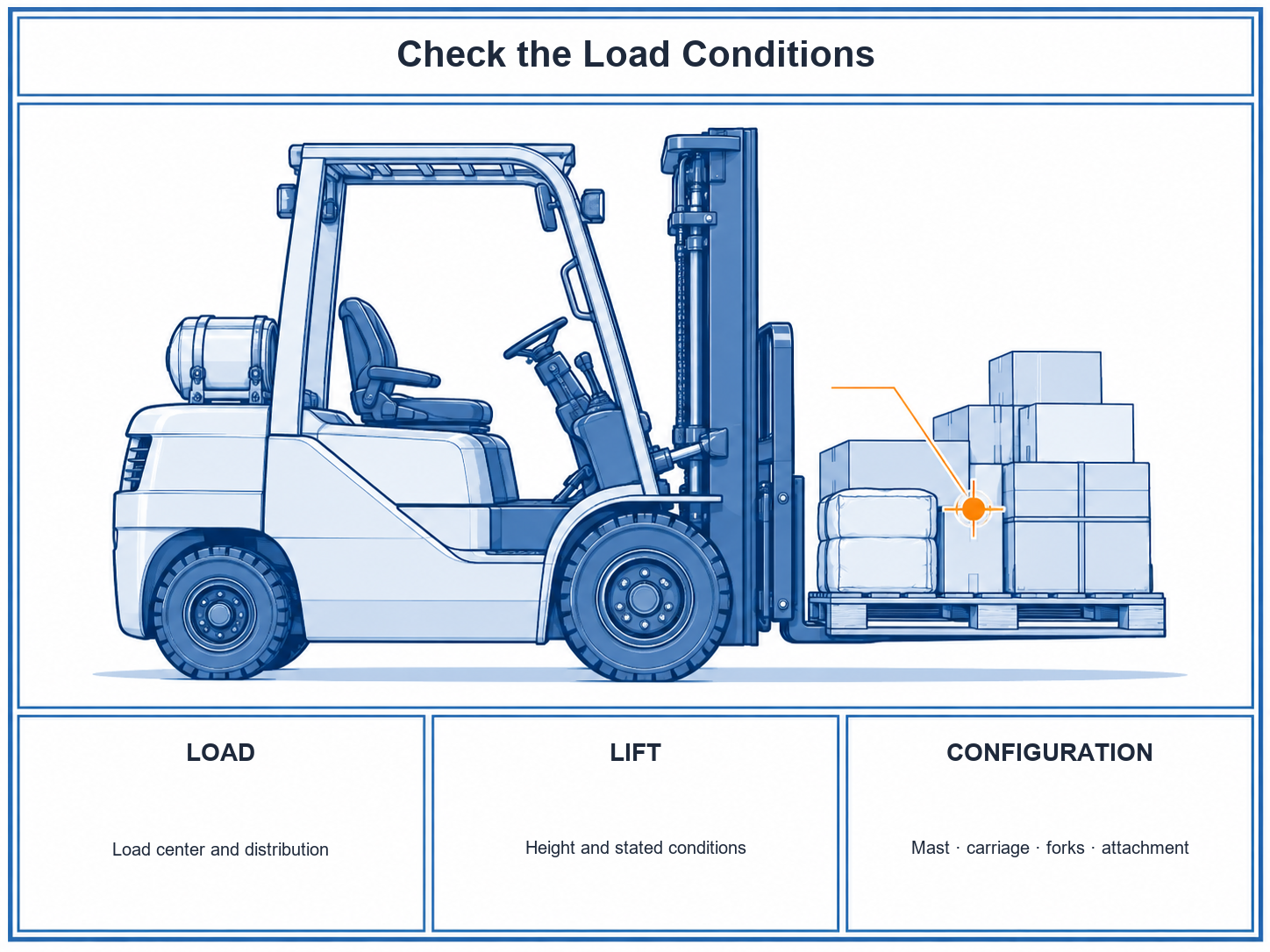
Rated capacity is tied to stated operating conditions. Toyota’s June 2018 guide explains that load size, weight distribution, load-center position, lift or tilt, and load manipulation can affect a truck’s capacity. Compare the planned lift with the conditions shown for the exact truck. Do not treat the plate’s capacity as a free-standing number.
| What to compare | Where to verify it | Action if the match is unclear |
|---|---|---|
| Rated capacity | Current truck plate and matching Toyota documentation | Do not infer a rating from another truck or a generic chart. |
| Load center | Plate or truck-specific capacity information | Confirm the applicable rating for the actual load position. |
| Load size and weight distribution | The load itself and its verified weight information | Pause if the load’s shape or balance changes the conditions being checked. |
| Required lift or load manipulation | The truck-specific plate and operator documentation | Ask Toyota or an authorized dealer which rating applies. |
OSHA defines load center as the horizontal distance from the vertical face of the forks or other attachment to the line through the load’s center of gravity. A long or off-center load can place that center farther out than the rated condition, even when its total weight has not changed.
OSHA also warns that oversized, irregular, or improperly distributed loads can exceed the stated capacity when their actual load center differs from the plate condition. Check where the load’s weight sits, whether it is centered on the forks, and whether the truck-specific information covers that position.
Compare the actual load, not its label alone
Load center describes where the load’s center of gravity sits in relation to the forks. A long or unevenly distributed load can place its weight differently from a compact, evenly balanced load. Toyota’s capacity guidance discusses both horizontal and vertical load-center conditions. Use the truck’s stated information for the load and lift in front of you, rather than assuming a familiar pallet or package fits the same conditions.
The table is a verification aid, not a capacity chart. It intentionally contains no sample weights or load-center values. If the plate does not give a condition that you can confidently compare, stop and use the exact Toyota documentation or request qualified confirmation.
OSHA’s load-handling guidance says the truck’s plate states a capacity for a specified load center. When the load’s position, shape, or distribution differs, return to the manufacturer’s instructions for the truck.
Talk to a specialist
With the truck’s capacity information under review, keep any replacement-parts request separate from the rating decision. The service covers OEM-compatible forklift parts and is backed by a fast quotation. Review the forklift parts-sourcing service.
Step 4: Check the truck’s installed configuration
Check the truck as it is equipped now. Toyota’s capacity guidance says each load-bearing part has its own rating, and the truck combination cannot be treated as having a rating above its limiting component. An attachment can also move the load farther from the fork face and add weight to the carriage.
Compare the installed equipment with the plate and the truck-specific documentation:
- Mast and carriage type
- Forks currently fitted to the truck
- Any side shifter, clamp, rotator, or other attachment
- Any capacity-affecting modification or replacement
OSHA says modifications or additions that affect capacity or safe operation require the manufacturer’s prior written approval, with the capacity and operating instruction information changed accordingly under 29 CFR 1910.178. OSHA’s attachment guidance also says the truck’s capacity information should be changed when an attachment is added.
OSHA’s attachment guidance explains that an attachment can alter the truck’s center of gravity. It can also affect the operator’s view and the capacity conditions. Added attachment weight can reduce lifting capacity, while moving the load farther from the balance point can change the load center. Check the complete combination, not the attachment label alone.
Warning: An attachment’s own label does not by itself establish the rated capacity of the truck and attachment combination. Confirm the current combination against its plate and OEM documentation before lifting.
Do not estimate a capacity reduction from attachment weight or dimensions. Do not apply the rating from the truck’s original setup after equipment changes. If the current plate does not identify the installed configuration, pause and obtain confirmation from Toyota or an authorized safety-qualified source.
When requesting confirmation, ask which plate and operating instructions apply to the current configuration. A response based only on the model family or original factory build does not resolve a later equipment change.
Can a generic forklift capacity chart or formula tell you the rating?
A generic chart can explain how capacity information is presented, but it cannot confirm the rating for a specific Toyota truck. The applicable value depends on the unit identity and the conditions listed for its installed configuration. Toyota directs owners to work with an authorized dealer when configuring a truck for a particular application or after modifications.
Before using a capacity reference, check its scope:
- Does the reference identify the same model and serial range as the truck?
- Does it match the truck’s current equipment setup?
- Does it cover the load center and lifting conditions for the planned load?
- Does the current plate agree with the document?
If any answer is unknown, do not use the chart to set the lift. Record the truck’s model and serial, current plate, installed configuration, and intended load conditions, then ask Toyota or an authorized dealer for the matching rating information.
Keep the search intent distinct from fork-size guidance. Fork dimensions help identify or select fork arms. Truck rated capacity is the approved load limit for a particular truck and configuration. One does not establish the other.
Step 5: Stop if the capacity plate is missing or does not match
OSHA’s powered-industrial-truck eTool advises operators not to operate a truck with a missing or illegible nameplate. Under 29 CFR 1910.178, a capacity-affecting modification or addition requires prior written manufacturer approval, and the capacity and operating instruction information must be updated accordingly.
Stop condition: Do not lift when the plate is missing, unreadable, or inconsistent with the mast, carriage, forks, or attachment installed on the truck. Do not substitute a rating from a similar model or an online calculation.
Send the unresolved case for confirmation
Give Toyota or an authorized dealer enough information to identify the unit and inspect the mismatch:
- Full model and serial number, plus a clear photo of the plate and close-ups of unclear fields
- Photos of each load-bearing component installed on the truck
- The matching operator documentation, if available
- A description of the intended load and the operating condition that needs checking
Ask which current capacity information applies and whether the plate or operating instructions need to be updated. Keep the truck out of the lift task until the rating is confirmed by a qualified source.
Tell the operator and maintenance lead that the capacity basis for the planned lift is unresolved. Notify the supervisor when site procedures require authorization for the hold. Keep the photos and written confirmation with the truck’s service record so the next shift does not repeat the same guess.
Kingstream can help source a requested replacement component when the part and truck identifiers are known. It does not determine, calculate, or approve a forklift’s safe lifting capacity. Keep a parts request separate from the capacity decision.
Toyota forklift capacity chart FAQ
What is the load capacity of a Toyota forklift?
It depends on the specific truck and its rated configuration. Read the current plate and matching Toyota documentation; do not apply one model-family number to every unit. Toyota plate layouts vary by truck type, so start with the plate on that truck.
What is a forklift lifting capacity chart?
A Toyota forklift capacity chart presents rated-load information under stated truck and load conditions. Use it only when it matches the particular truck and its current plate; a generic chart cannot confirm an individual unit’s rating.
What information is displayed on a forklift nameplate?
OSHA’s eTool lists model and serial number, truck weight, and capacity among the nameplate information operators should understand. Toyota plate layouts vary, so compare the actual plate with the matching operator documentation for that truck.
What does the forklift’s load capacity plate tell you?
It provides the rated-capacity information and operating conditions for that specific truck. Read load-center and configuration details together with the rating; if the plate is missing, unclear, or mismatched, pause and seek Toyota or dealer confirmation.
How do I calculate the load capacity of a forklift?
Do not use a standalone formula to approve a lift. Confirm the truck-specific rating and operating conditions on its current plate and matching OEM documentation. If the load or setup is not covered, ask Toyota or an authorized dealer.
Where can you find the rated capacity of your forklift?
Start with the plate installed on that truck and the operator documentation matched to its model and serial. If the plate is missing or unclear, stop and contact Toyota or an authorized dealer.
Conclusion: verify the truck before the lift
A Toyota forklift capacity chart is useful only when tied to one truck, not as a brand-wide figure. Start with its full model and serial number. Read the current plate and matching operator documentation. Compare the rating with the load center, load distribution, required lift conditions, and equipment installed on the truck.
If the plate is missing, unreadable, or inconsistent with the truck, keep the load on the floor and ask Toyota or an authorized safety-qualified source to resolve the rating. A generic chart, another truck’s plate, or an online formula cannot close that gap.
References
- Occupational Safety and Health Administration. (n.d.-a). 1910.178: Powered industrial trucks. https://www.osha.gov/laws-regs/regulations/standardnumber/1910/1910.178
- Occupational Safety and Health Administration. (n.d.-b). Attachments. OSHA eTool: Powered industrial trucks. https://www.osha.gov/etools/powered-industrial-trucks/types-fundamentals/parts/attachments
- Occupational Safety and Health Administration. (n.d.-c). Load composition. OSHA eTool: Powered industrial trucks. https://www.osha.gov/etools/powered-industrial-trucks/load-handling/load-composition
- Occupational Safety and Health Administration. (n.d.-d). Nameplate. OSHA eTool: Powered industrial trucks. https://www.osha.gov/etools/powered-industrial-trucks/types-fundamentals/parts/name-plate
- Toyota Material Handling. (2018, June 13). Understanding forklift lifting capacities and data plates. https://www.toyotaforklift.com/resource-library/blog/toyota-products/understanding-forklift-lifting-capacities-data-plates
- Toyota Material Handling. (2026, April 16). What is a forklift data plate and how do I read it? https://www.toyotaforklift.com/resource-library/blog/toyota-products/what-is-a-forklift-data-plate-and-how-do-i-read-it
Last reviewed and updated: September 2026. Author: Kingstream team. For tailored guidance, contact our team.